
Visibility: see how often AI cites you, and who it cites instead
Visibility asks AI engines the questions your buyers ask, records which sources each answer cites, and connects Google Analytics 4 so you see the visits those answers send you.
Your dashboard for the answer layer.
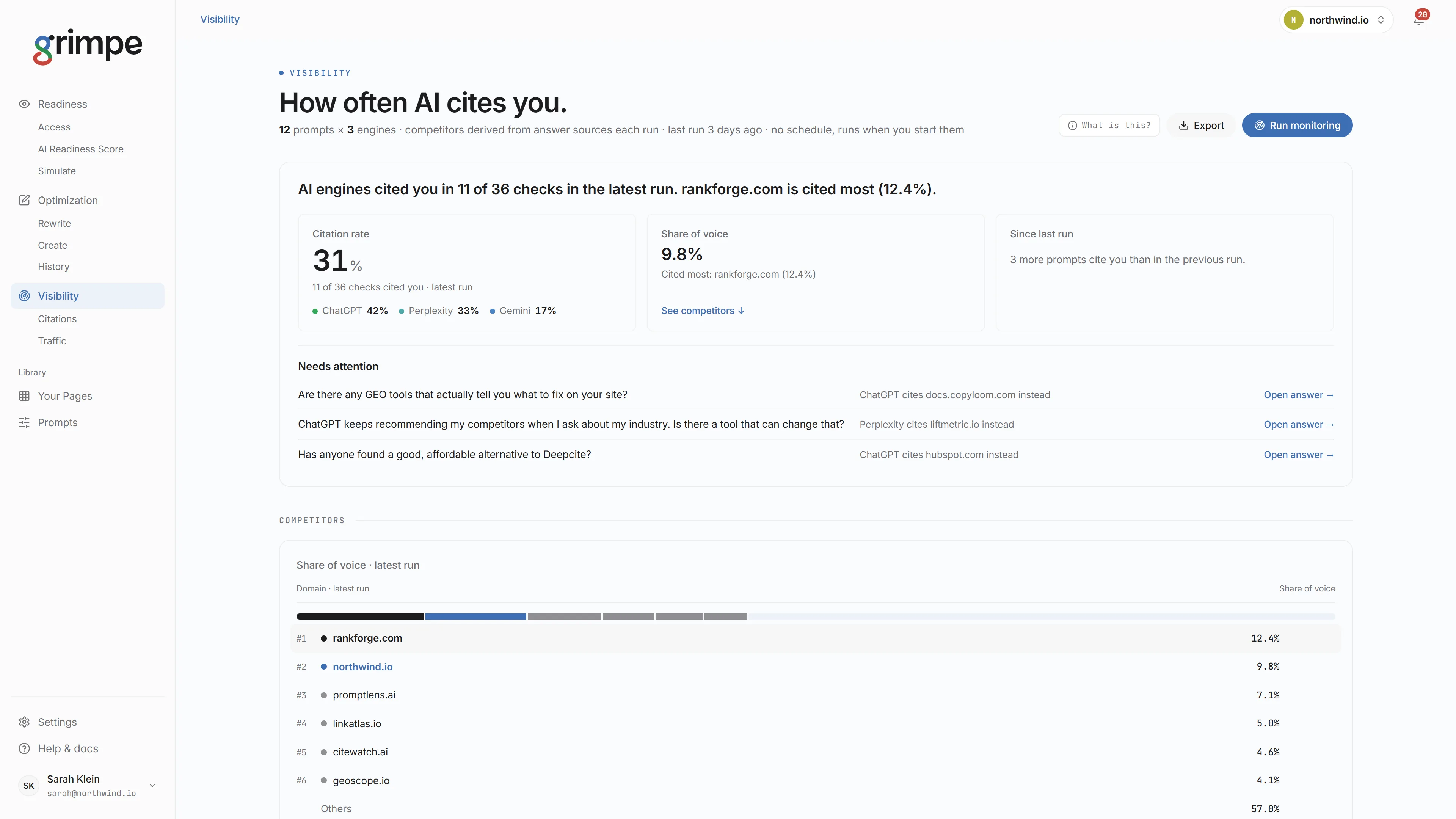
Each run asks every tracked prompt on every engine. The dashboard shows your citation rate, your share of voice against the competitors those answers cite, and the prompts that need attention first.
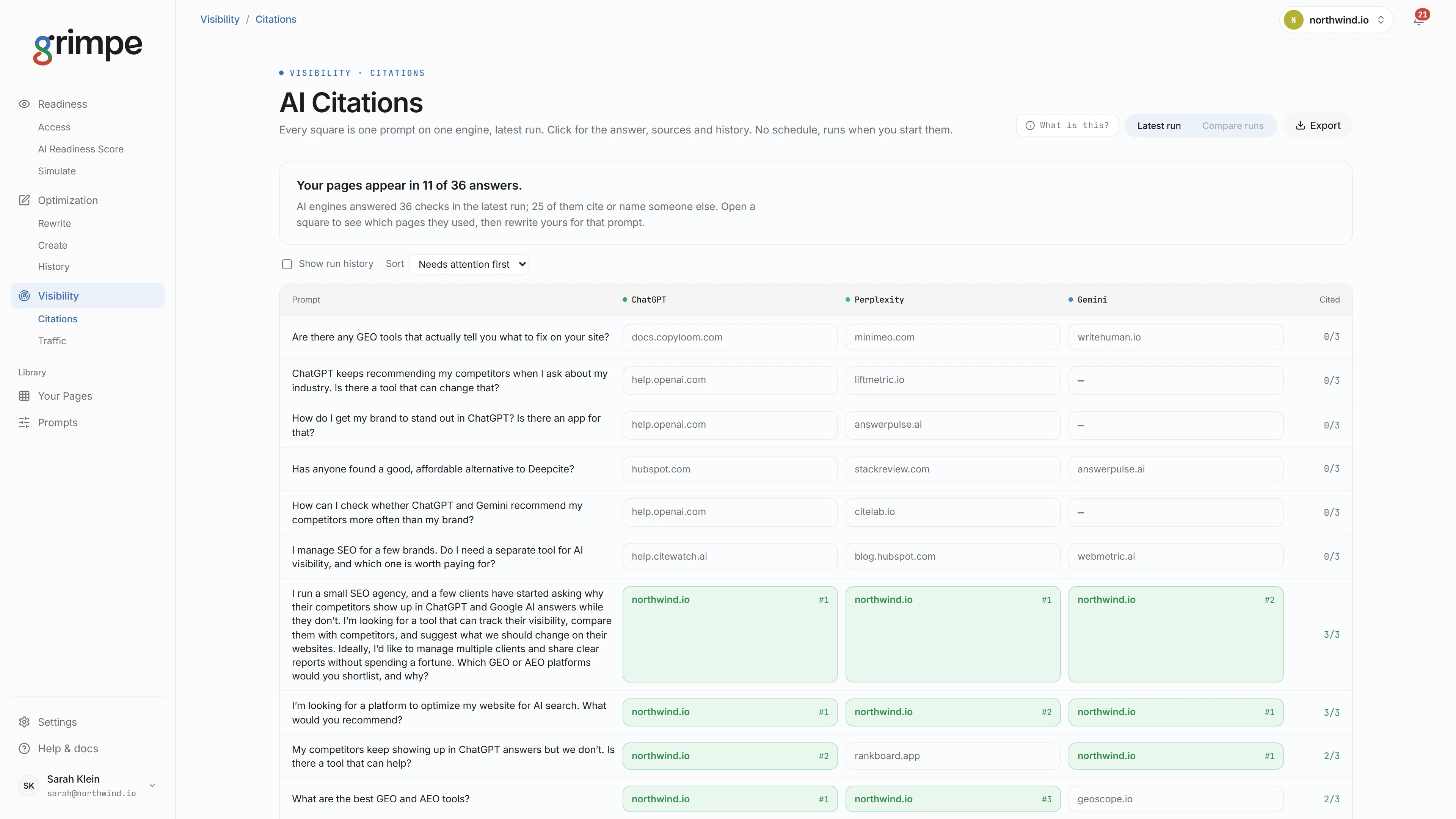
Every prompt, every engine, one square each.
The Citations grid has one row per prompt and one column per engine. Each square shows whether the answer cited you and, if not, which site it cited first instead. Click a square for the full answer, its sources and its history.
- Sort by the prompts that need attention first.
- Compare runs to see what changed after a rewrite.
- Export the grid for your own or your clients' reports.
Know who AI cites instead of you.
Competitors are taken from the sources each answer actually cites, so the list shows who AI recommends in your space, including sites you would not have picked. Share of voice ranks each domain by its slice of citations in the latest run, with yours highlighted.
See the visits AI answers send you.
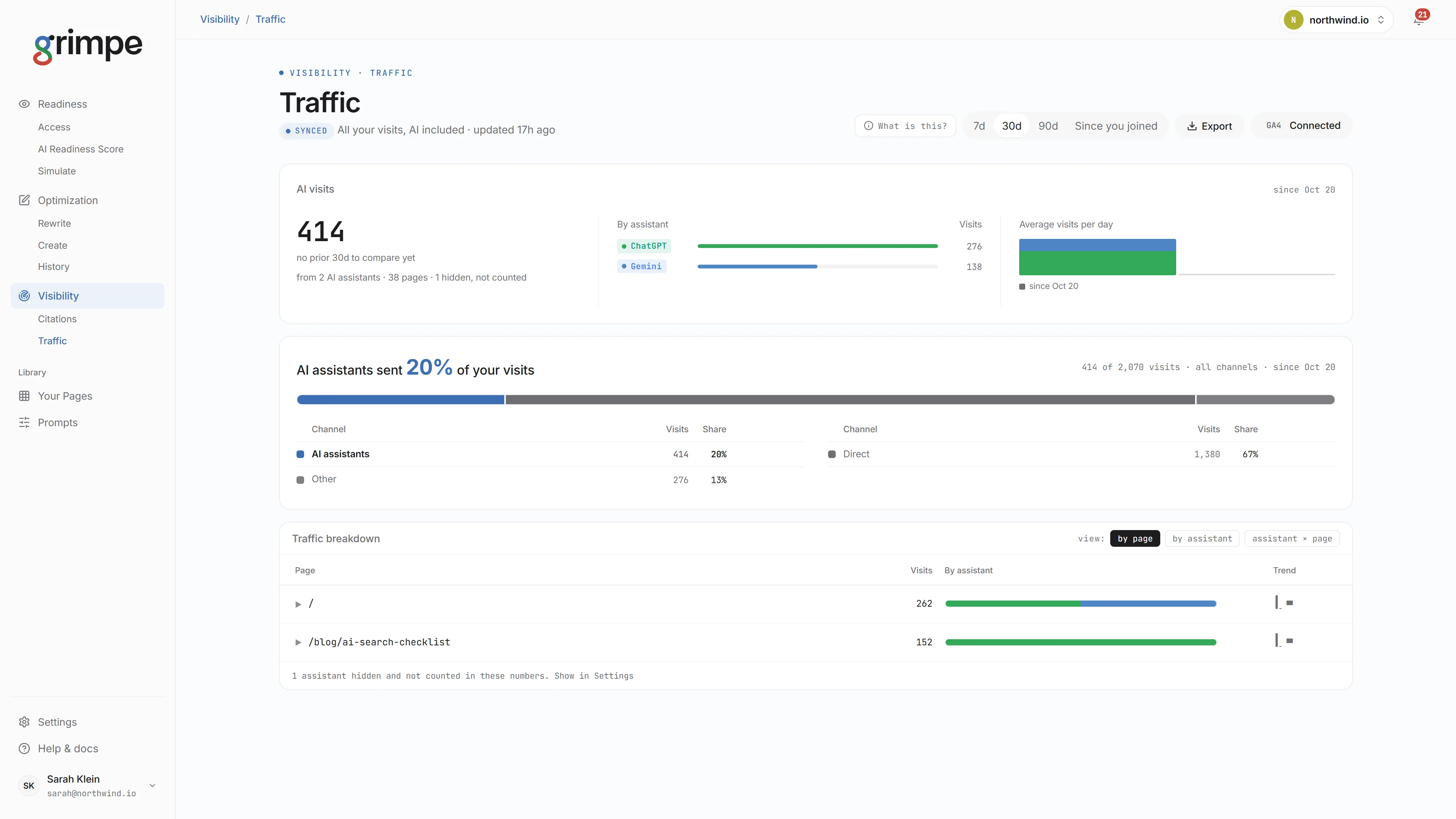
Connect Google Analytics 4 with read-only access. Traffic separates visits from AI assistants from every other channel, by assistant and by page, so citations turn into a number you already report on.
- AI visits by assistant, such as ChatGPT, Gemini and Perplexity.
- The share of all your visits that AI assistants sent.
- 7, 30 and 90 day views, or everything since you joined.
Readiness finds the gap. Optimization fixes the page. Visibility shows it worked.
When a prompt needs attention, Optimization rewrites the page for it and Readiness checks it can be reached. The next Visibility run shows whether it worked.